
YouTube Thumbnail Best Practices: Boost CTR by 40%
Your video is polished. Your content is solid. But your views aren't moving. You've spent hours on the edit. You've worked the title. And still—nothing.
Here's what's happening: your thumbnail does most of the heavy lifting before anyone hits play. Most creators treat it like an afterthought. That's the problem.
Thumbnail optimization is a learnable skill. Get it right and you'll see CTR jumps of 20-40% within days.
Understanding CTR: Know Your Benchmarks
First, you need to know what "good" looks like for your channel. Small channels (0-1K subscribers) should aim for 2-4% CTR—you're building trust with the algorithm, so lower numbers are expected. Growing channels (1K-10K subscribers) should aim for 4-6% CTR. Established channels (10K+ subscribers) should push for 6-10%+ CTR.
CTR benchmarks also vary by niche. Gaming channels often see 3-5% as strong. Educational content can hit 8-12% because search intent is higher. Compare your CTR to similar channels in your niche, not generic YouTube averages.
The Psychology of Clicks: Curiosity, Emotion, Clarity
Three things drive thumbnail decisions. Curiosity gap means your thumbnail should show viewers something they don't know yet—not "How to Bake Bread" but "The $10,000 Bread Secret."
Emotional resonance matters because people process emotions faster than text. A shocked face triggers curiosity. A triumphant expression promises payoff.
Pattern interrupt stops viewers scrolling through hundreds of thumbnails. Use bright colors against YouTube's dark theme. Try unexpected compositions.
Thumbnail Elements That Actually Work
Human faces are the CTR multiplier. Thumbnails with expressive human faces outperform object-focused designs by 20-40%. Close-ups where the face fills 30-40% of the frame work best, with eyes looking toward the camera.
Text should be minimal. Maximum 4-6 words—any more becomes unreadable on mobile. Use bold, sans-serif fonts with high contrast backgrounds.
Color contrast matters. High-contrast thumbnails boost CTR by 20-30%. Bright yellow/orange on dark backgrounds, white text with black outlines, red accents for urgency—all work well.
Before vs After: Real Redesign Results
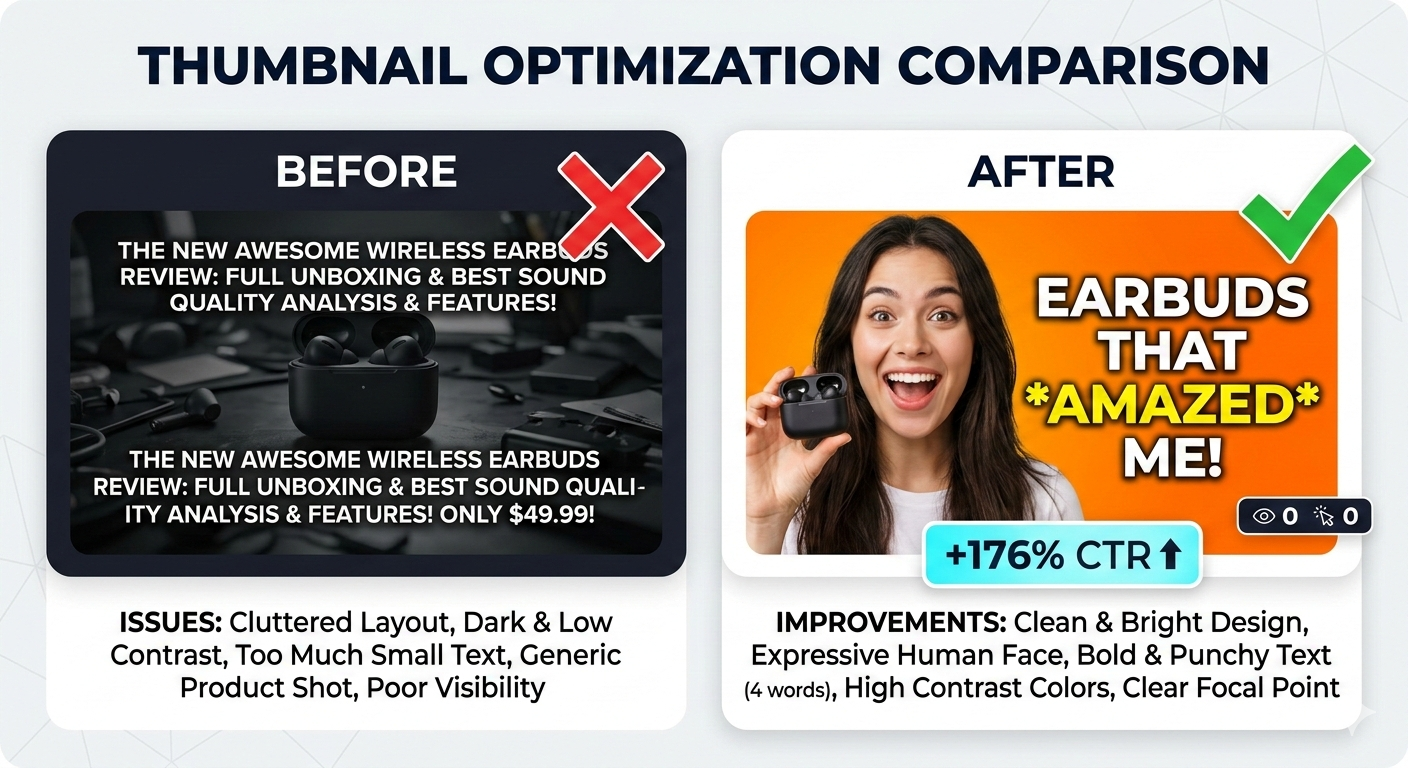
A tech tutorial channel went from a product shot with basic text overlay (2.1% CTR) to the creator holding the product with a shocked expression on a bright orange background (5.8% CTR)—a 176% increase.
A finance education channel went from a stock photo of money with generic title (1.8% CTR) to the creator's face with worried expression, "$0 to $10K" text, and red warning accent (4.9% CTR)—a 172% increase.
All successful redesigns added human emotion, simplified text, and increased color contrast.
🎨 Not sure if your thumbnail works? GeniusTube analyzes your thumbnail and title together, then suggests specific improvements to boost CTR. Try it free →
Common Thumbnail Mistakes That Kill CTR
Too much text—paragraphs crammed into 1280x720 pixels become blur on mobile. Keep it under 6 words.
Visual clutter—multiple focal points competing for attention. Pick one hero element.
Misleading imagery—clickbait destroys retention. YouTube tracks when viewers click back quickly. If you're struggling with this, our guide on why your YouTube video has no views breaks down the retention problem.
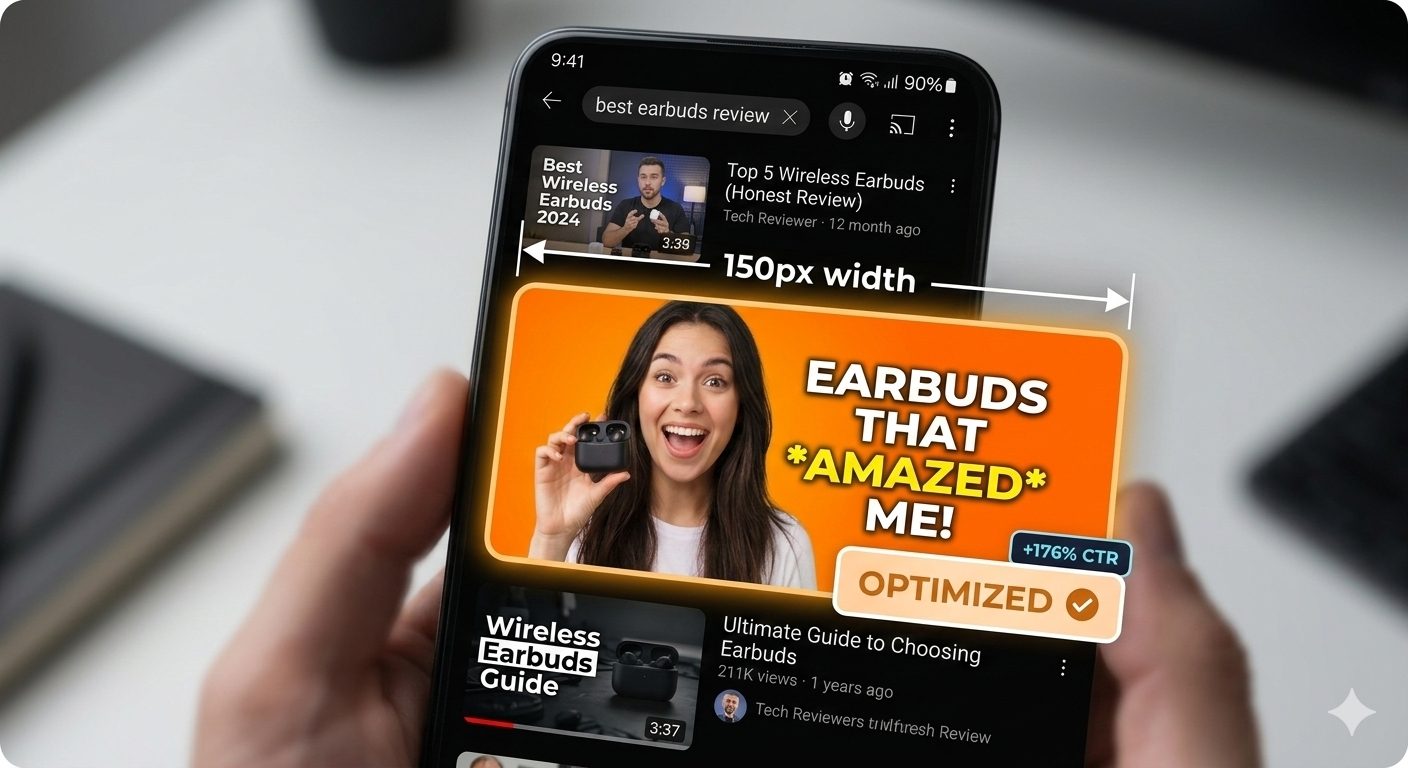
Ignoring mobile—70% of YouTube views happen on mobile. If your thumbnail doesn't work at 150px width, it doesn't work.
Inconsistent branding—when every thumbnail looks completely different, viewers can't recognize your content. Develop a signature style.
Tools and Workflow for Thumbnail Creation
Technical specs: YouTube thumbnails must be 1280x720 pixels and under 2MB. Use JPG, PNG, or GIF format.
Free options include Canva for templates and stock photos, and Photopea as a browser-based editor. Paid options include Adobe Photoshop for maximum control and Figma for consistent template systems.
Recommended workflow: Capture 10-15 thumbnail photos during filming. Select the 3 strongest expressions. Design 2-3 variations with different text/color approaches. Show to 5 people who aren't your target audience—if they understand it instantly, it's clear enough.
Want to speed this up? GeniusTube can analyze your thumbnails and suggest improvements—text placement, contrast, and title pairings.
YouTube A/B Testing: Test & Compare
YouTube Studio now has native A/B testing called "Test & Compare." Here's how to use it:
- Upload 2-3 thumbnail variants for a new video
- YouTube shows each variant to different viewer segments
- After enough data, YouTube selects the winner and uses it going forward
Best practices for A/B testing:
- Test one variable at a time (face vs. no face, different text, different colors)
- Wait for at least 1,000 impressions before drawing conclusions
- Test on your most important videos first—those you're promoting heavily or that target search traffic
This feature is rolling out gradually. If you don't have it yet, you can manually swap thumbnails after 24-48 hours and compare CTR yourself.
📈 Want higher CTR? Upload your thumbnail to GeniusTube and get specific feedback—text placement, contrast issues, and title suggestions. Analyze your thumbnails →
Niche-Specific Thumbnail Strategies
Gaming: Reaction faces, game HUD elements, bold saturated colors.
Education: Promise clear outcomes ("Learn X in Y minutes"), use whiteboards or props.
Vlog/Lifestyle: Authentic moments over staged photos, consistent color grading.
Product reviews: Show the product clearly, use comparison layouts (before/after), include price callouts.
For more niche-specific growth strategies, see our guide on how to grow a YouTube channel from 0.
Thumbnail-Title Synergy: The Power Combo
Your thumbnail and title should be complementary, not repetitive. If your thumbnail shows a shocked face, your title delivers context: "I Lost $50K in One Day." Don't put "Shocking Loss" on both.
The promise loop: thumbnail creates curiosity, title provides specifics. A worried creator with a broken laptop combined with "My YouTube Channel Got Hacked (Full Recovery Story)" creates curiosity plus a specific promise of resolution.
The Thumbnail Optimization Checklist
Before publishing, run through this list:
- Mobile test — Is the main element clear at 150px width?
- Contrast check — Does it pop against YouTube's dark theme?
- Text limit — Maximum 6 words, readable at small sizes?
- Emotional hook — Does the face or main element convey clear emotion?
- Curiosity gap — Does it create questions the viewer wants answered?
- Brand consistency — Would subscribers recognize this as your content?
- Title synergy — Do thumbnail and title complement without repeating?
- No clutter — One clear focal point?
- Authenticity — Does the thumbnail accurately represent the video?
- Differentiation — Does it stand out from similar videos in search results?
Conclusion
Your thumbnail is your video's first impression, pitch, and conversion tool—all in one 1280x720 pixel image. The difference between 2% and 6% CTR isn't magic. It's understanding what makes people click and applying those principles consistently.
Faces over objects. Simplicity over complexity. Curiosity over information.
Start with one change. Add a face to your next thumbnail. Increase the contrast. Cut the text in half. Measure the results. Or use GeniusTube to get specific feedback on what to improve.
A 40% CTR boost means 40% more views from the same impressions. Your content deserves to be seen. Make sure your thumbnails earn those clicks.