
Why Your YouTube Video Has No Views: The Real Reasons
Zero views. That's what your analytics show, and it stings. You checked your thumbnail, your title seems fine, and yet YouTube won't show your video to anyone.
Here's the truth: the algorithm gave your video a test run, and something failed. The good news? Every problem has a specific fix. This guide will help you diagnose exactly what went wrong.
How YouTube's Test Audience System Works
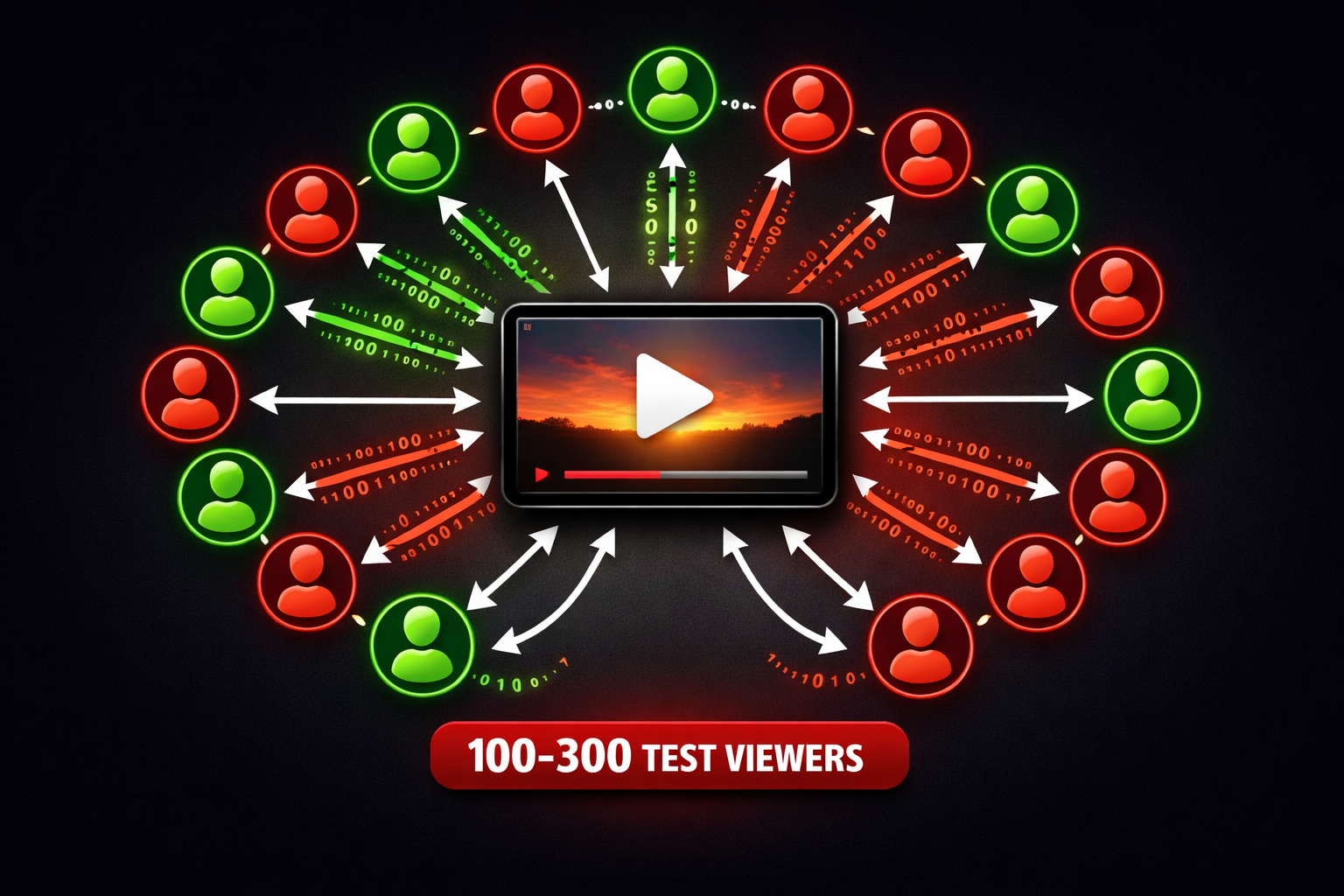
When you publish, YouTube doesn't show your video to everyone. It tests it with about 100-300 viewers—your subscribers, people who watch similar content, and viewers matching your topic. For a deeper dive, see our guide on how the YouTube algorithm works in 2026.
Based on their response—do they click, stay, engage?—YouTube decides whether to push your video or let it die.
The #1 Cause: Your Thumbnail Isn't Clicking
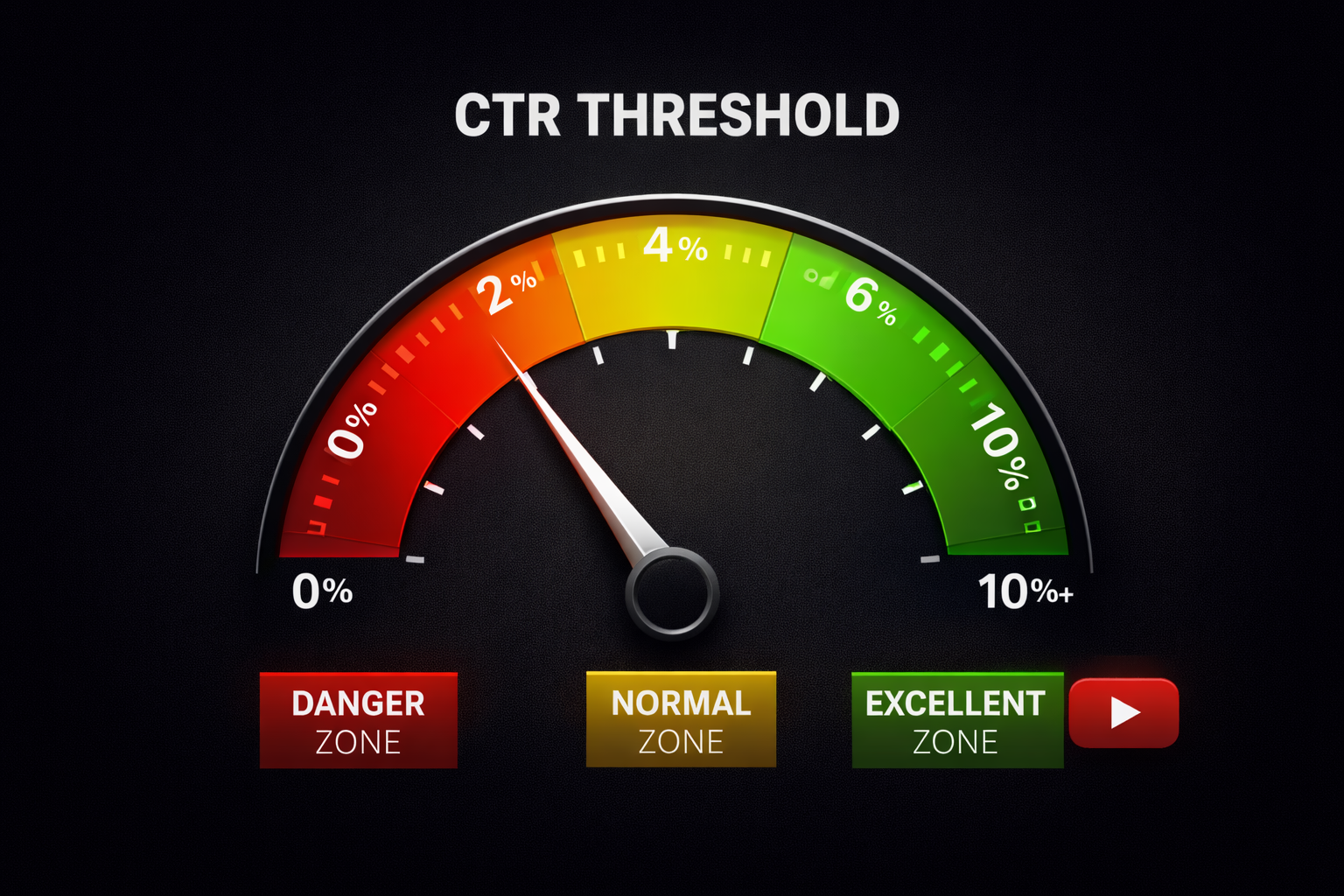
This one issue causes over 60% of zero-view videos. YouTube has a hidden CTR threshold—if your click-through rate drops below 2% for new channels, the algorithm stops promoting it. See our YouTube thumbnail best practices for detailed guidance.
What works: Thumbnails with expressive human faces get 20-40% higher CTR. Use bold, high-contrast colors. Keep text to 3-4 words max. Study top performers in your niche—the patterns are obvious.
What kills CTR: Too much text (unreadable on mobile), low contrast, generic stock photos, and clickbait that promises more than the video delivers.
The #2 Cause: Your Title Doesn't Seal the Deal
Your title is the other half of the click equation. Even a perfect thumbnail won't save you if the title flops.
Put your main keyword up front—the first 60 characters matter most for mobile viewers. Use power words that trigger emotion: "ultimate," "secret," "proven," "step-by-step." Specific numbers beat vague ones: "$10,000" works better than "money," "7 tips" beats "tips."
The #3 Cause: Your First 30 Seconds Bore Viewers
Viewers decide whether to stay in under 8 seconds. If they bounce, the algorithm marks your content as unsatisfying and stops pushing it.
The fix: Lead with your hook, not your intro. Kill the logo animations and "welcome back to my channel" stuff—it wastes seconds. Show the result, not the process. Disrupt the pattern every 5-8 seconds with camera changes, text overlays, or B-roll to keep people from zoning out.
A solid first 30 seconds keeps 65-75% of viewers. Below 60% is a problem. Below 50% is critical.
🔍 Not sure why your video failed? GeniusTube analyzes your video's CTR, retention curve, and title—then tells you what to fix. Diagnose your video free →
The #4 Cause: Topic Saturation
Sometimes your video is good, but you're publishing into a saturated niche where established channels dominate search and recommendations.
The fix: Get specific. Instead of "How to Make Money Online," try "How I Made $2,000/month Selling Printables on Etsy." Instead of "YouTube Tips," try "YouTube Tips for Channels Under 1,000 Subscribers."
Your unique angle matters—your specific journey, mistakes, and results create differentiation generic content can't match.
The #5 Cause: New Channel Disadvantage
New channels face unique challenges. YouTube doesn't know who to show your videos to, you have no subscriber base for initial testing, and the algorithm can't compare against past performance. For a complete growth roadmap, see our guide on growing a YouTube channel from zero.
The fix: Push through the first 10-20 videos. Most channels break through between video 10-30. Pick a consistent niche—mixed content confuses the algorithm.
Quick Fixes for Other Common Issues
Poor timing: Check YouTube Analytics > Audience for peak times. Post 1-2 hours before.
Restricted content: Age-restricted or copyrighted material gets limited distribution.
Wrong format: Quick tips work as Shorts; tutorials need 8-15 minutes.
Technical issues: Clear audio and decent lighting are non-negotiable.
The Diagnostic Checklist
-
Check CTR in YouTube Studio. Below 2%? Fix thumbnail and title first.
-
Analyze early retention in Analytics > Audience Retention. Below 60% in first 30 seconds? Fix your hook.
-
Evaluate topic competition. Top results all from big channels? Pivot to a more specific angle.
-
Get an outside perspective. GeniusTube can analyze your video's performance and highlight issues you might have missed—CTR problems, retention drops, title weaknesses.
Conclusion
Your video with 0 views isn't a failure—it's data. Learn from it, fix the issues, and make your next one better.
The algorithm isn't against you. It's waiting for content that satisfies viewers. Create that content consistently, and the views will follow.